
-
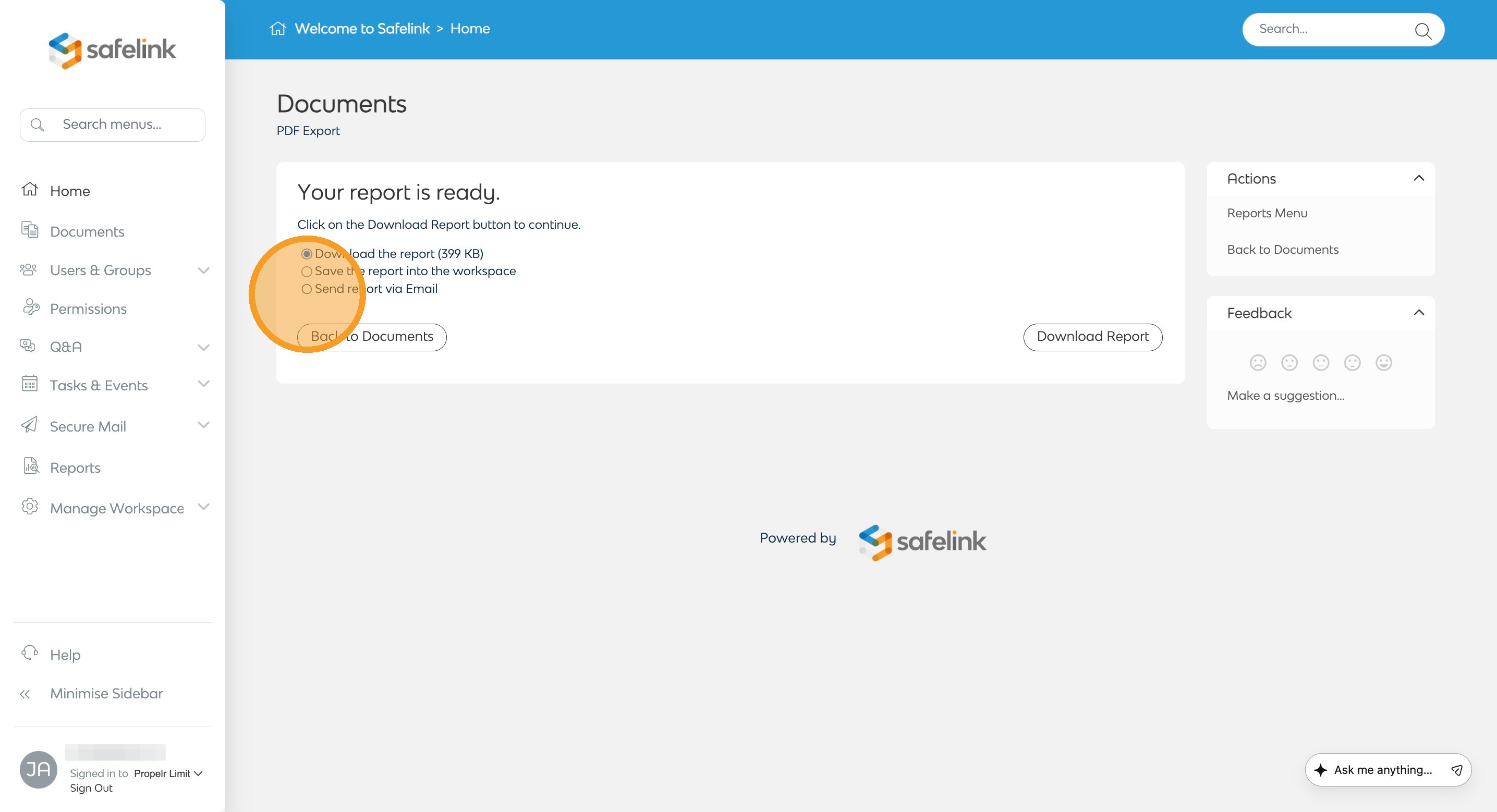
Generate your export as required. Click here for guides on how to export. Once your export is ready, select the Send Report via Email option.
- Enter recipient/s email address.
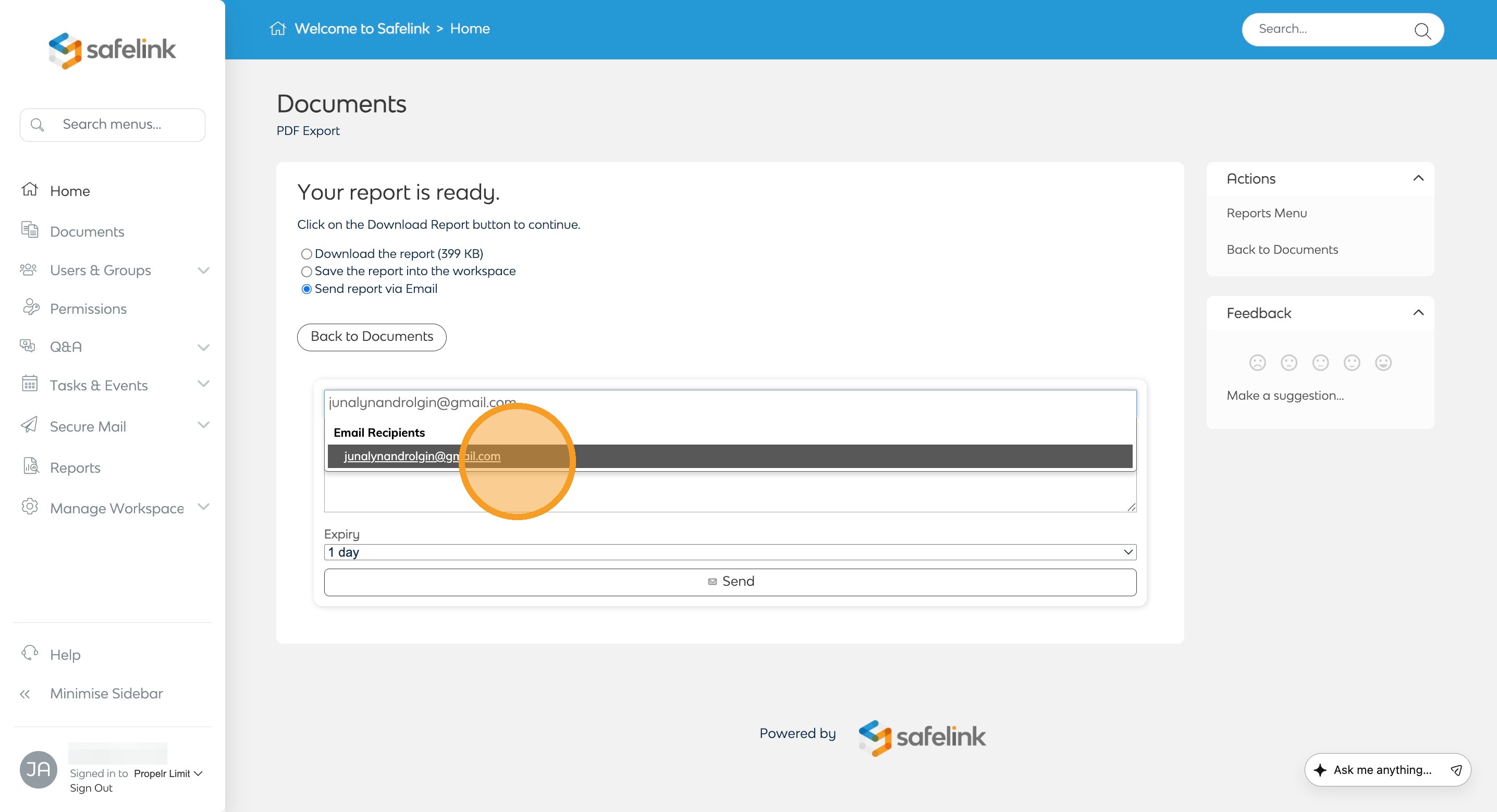
You can send the export to users who do not have a Safelink account. - You can include a message and adjust the expiry date if needed.
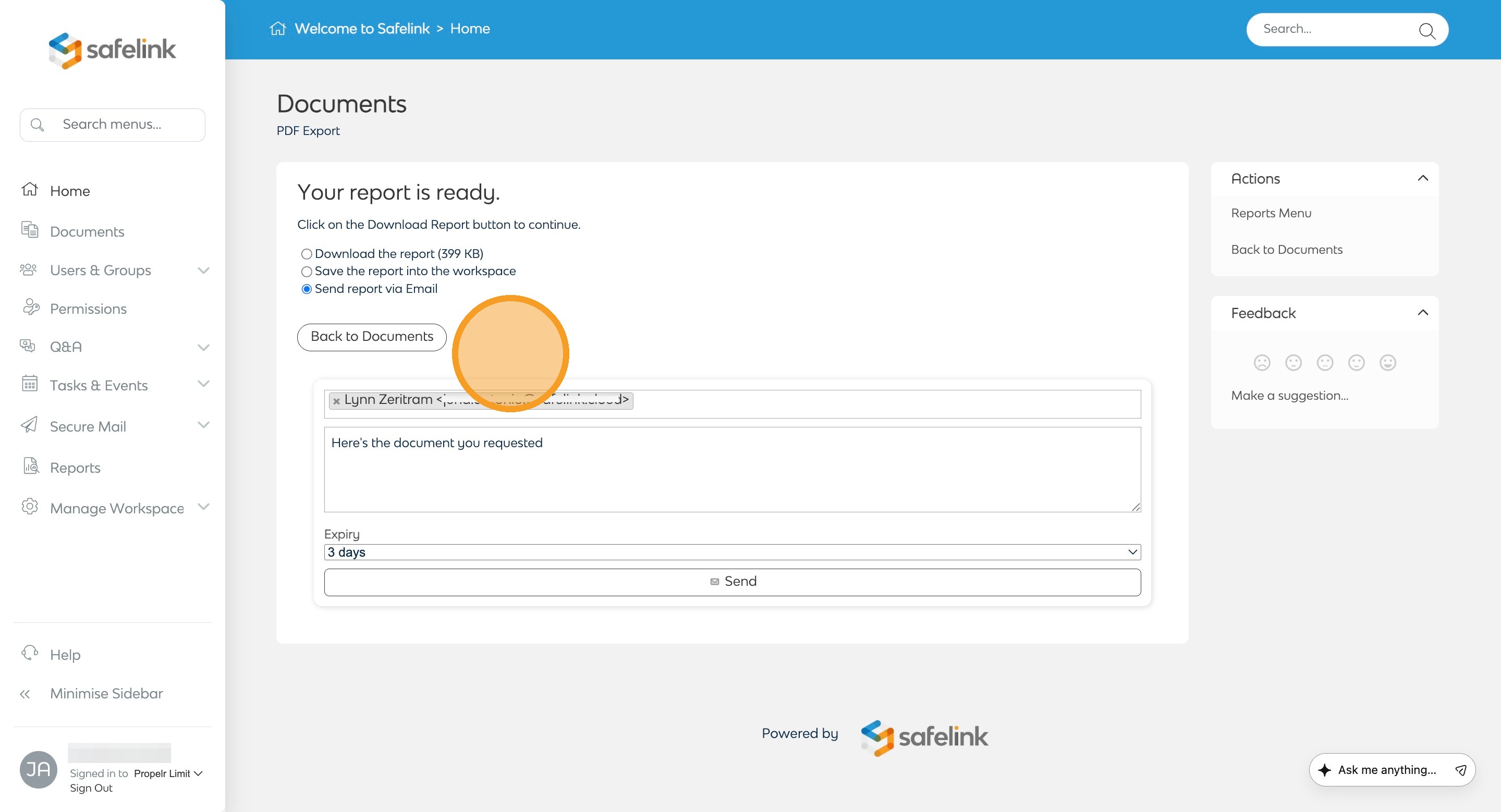
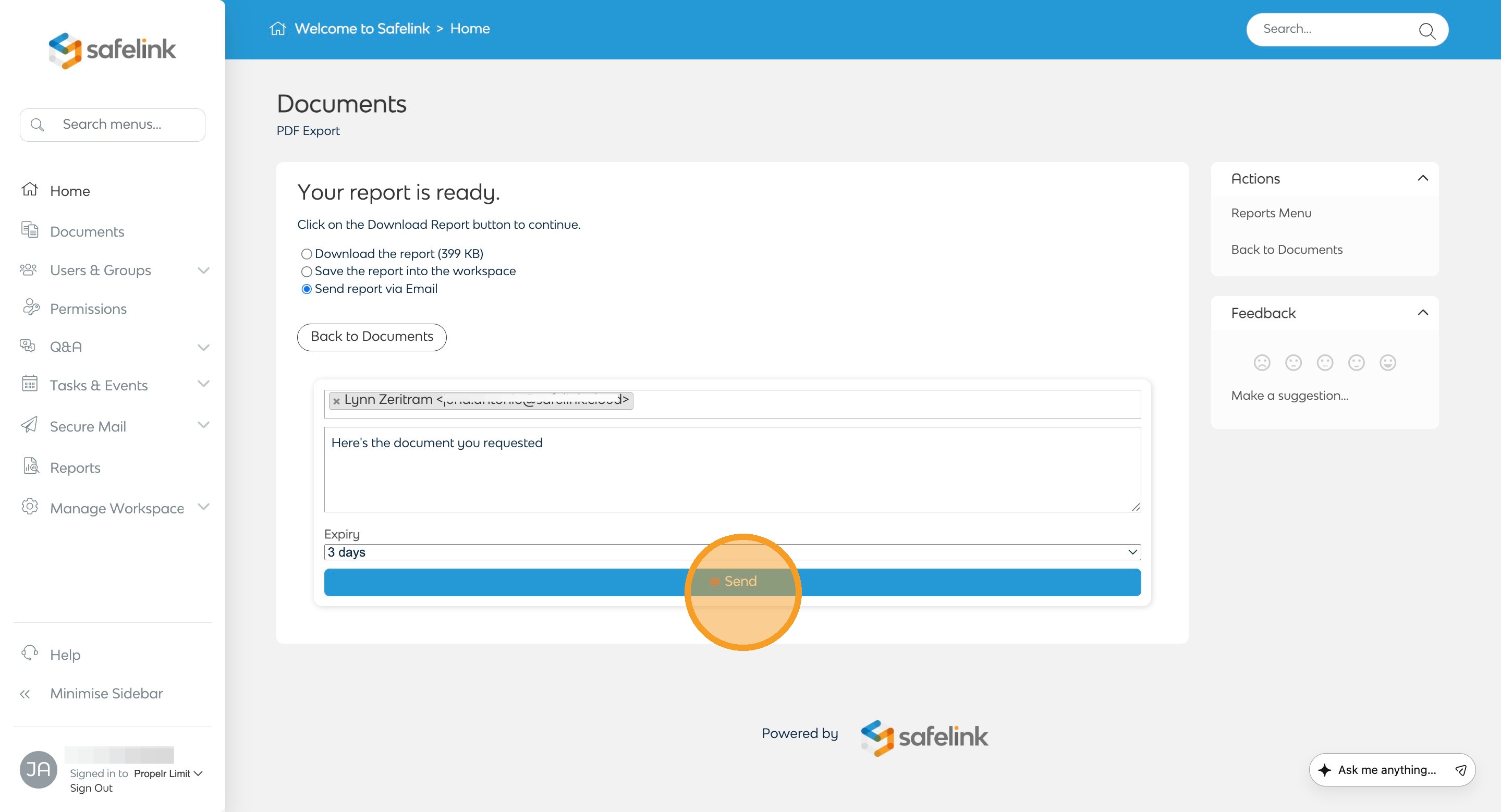
Recipients would no longer be able to download the export after the expiry date. - Click Send.
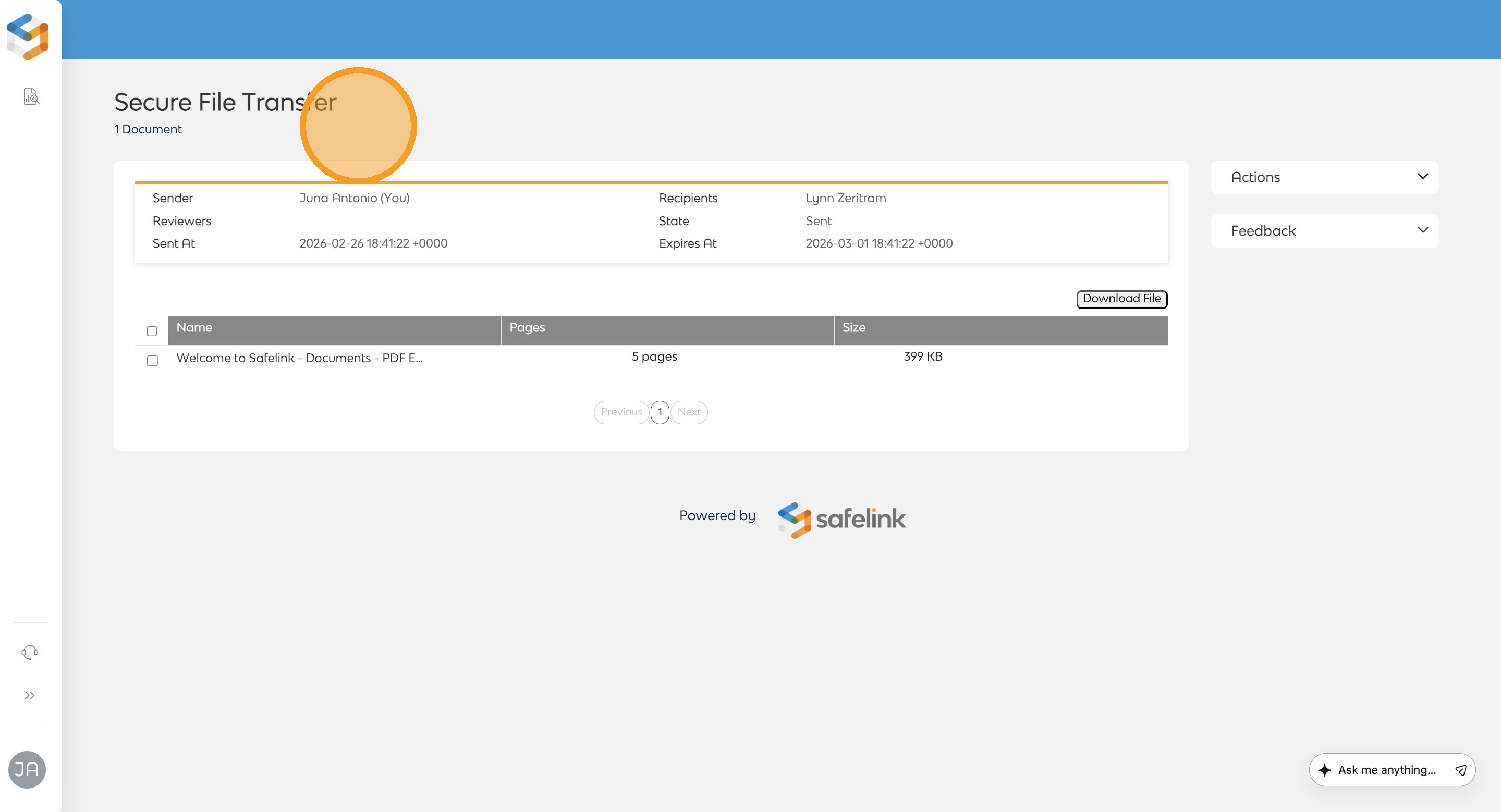
- You will be directed to the Secure File Transfer page, which displays a summary of your file transfer. You can click the logo in the upper-left corner to return to your homepage.
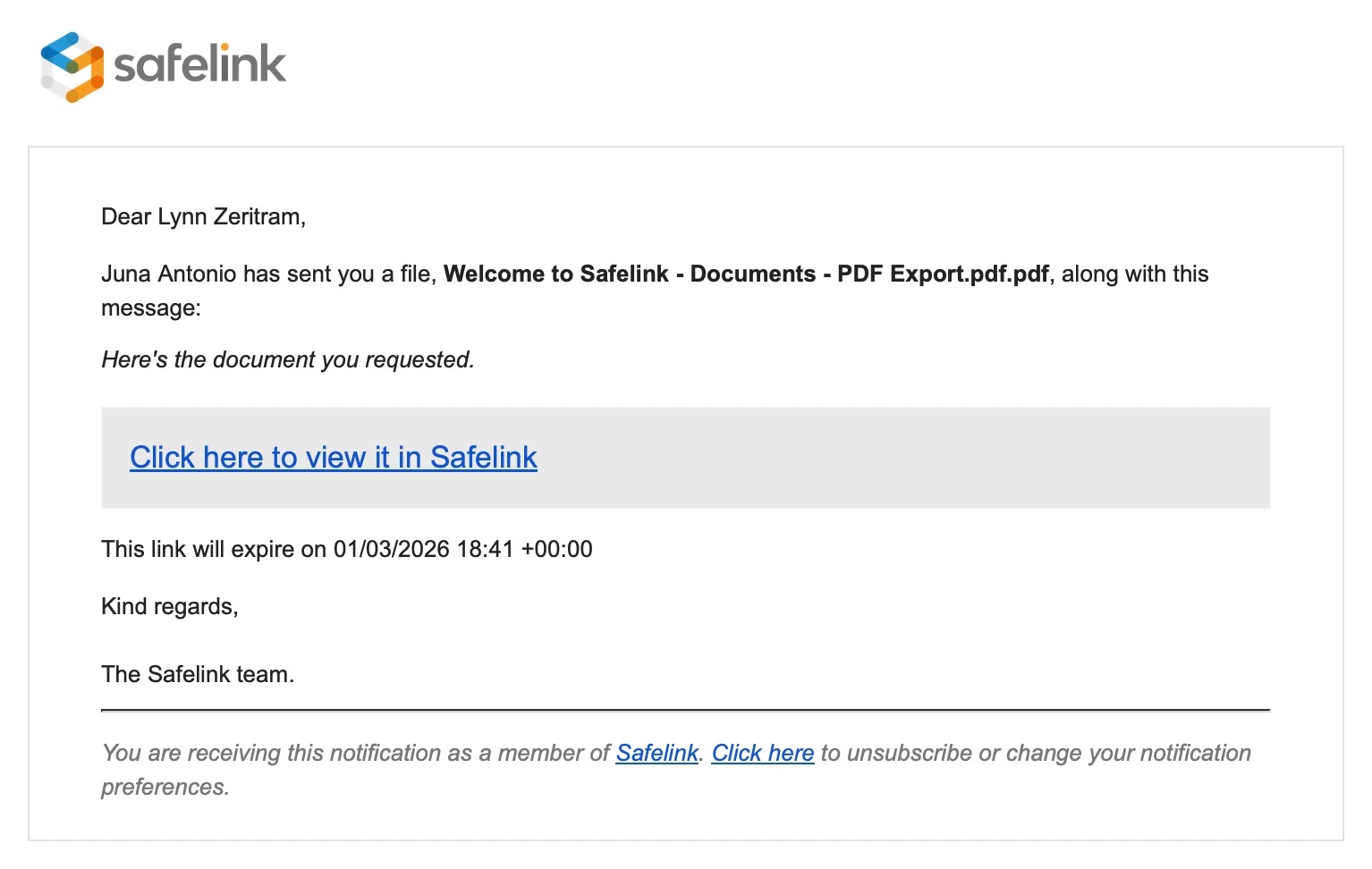
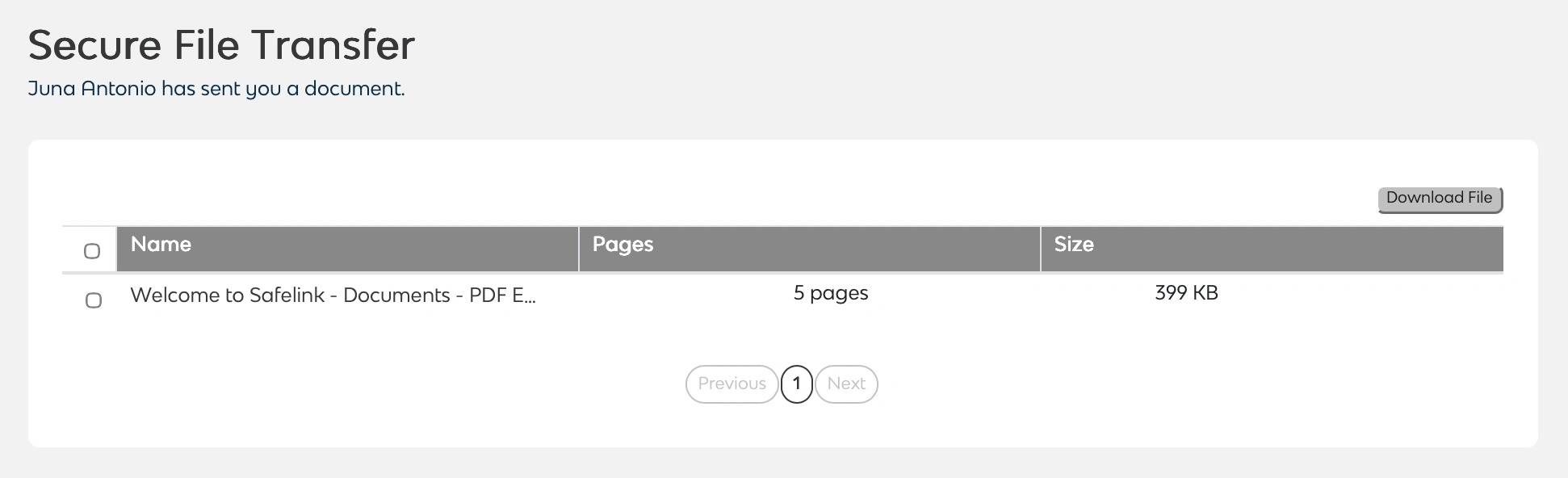
- The recipient will receive an email containing a secure link to download the export.
You will receive an email notification once the recipient has downloaded the export.