![safelink-logo-rgb_18sefvp.png]](https://help.safelinkhub.com/hs-fs/hubfs/safelink-logo-rgb_18sefvp.png?height=50&name=safelink-logo-rgb_18sefvp.png)
- Open the Actions menu and select Edit Bundle Index.

-
Choose the column you wish to add to your index from the drop-down list.

-
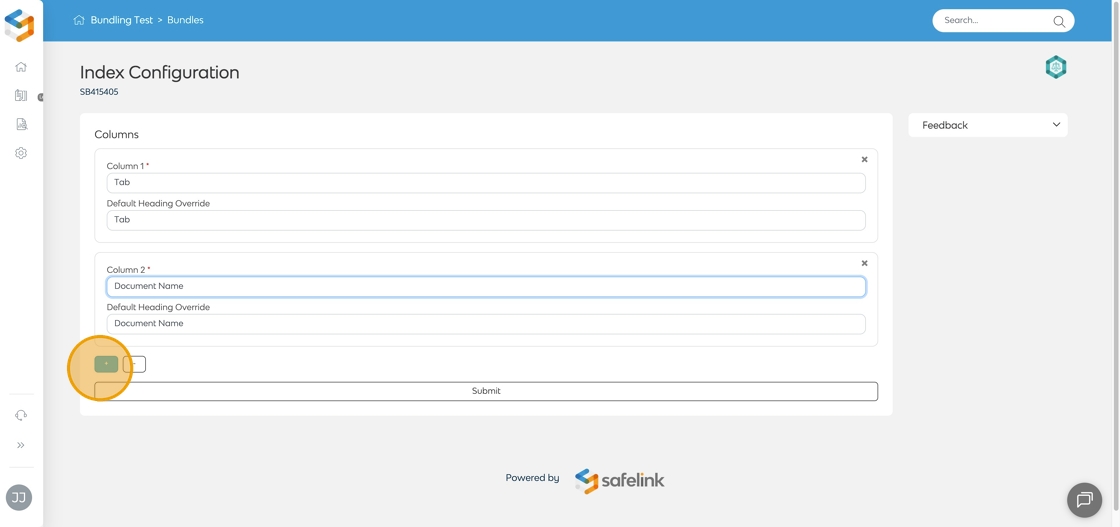
Select + to include additional columns as needed.
-
You can update the Default Heading Override to rename the column.

-
Click Submit to save your changes.
